
Privacy-first activity tracking
Track every move
Track outdoor and indoor activities, explore rich activity metrics, and follow your progress over time with VMFit - a lightweight tracker with no ads.

Free · No ads · Private by default · Android 8.0+

Live metrics at a glance
See what matters while you move
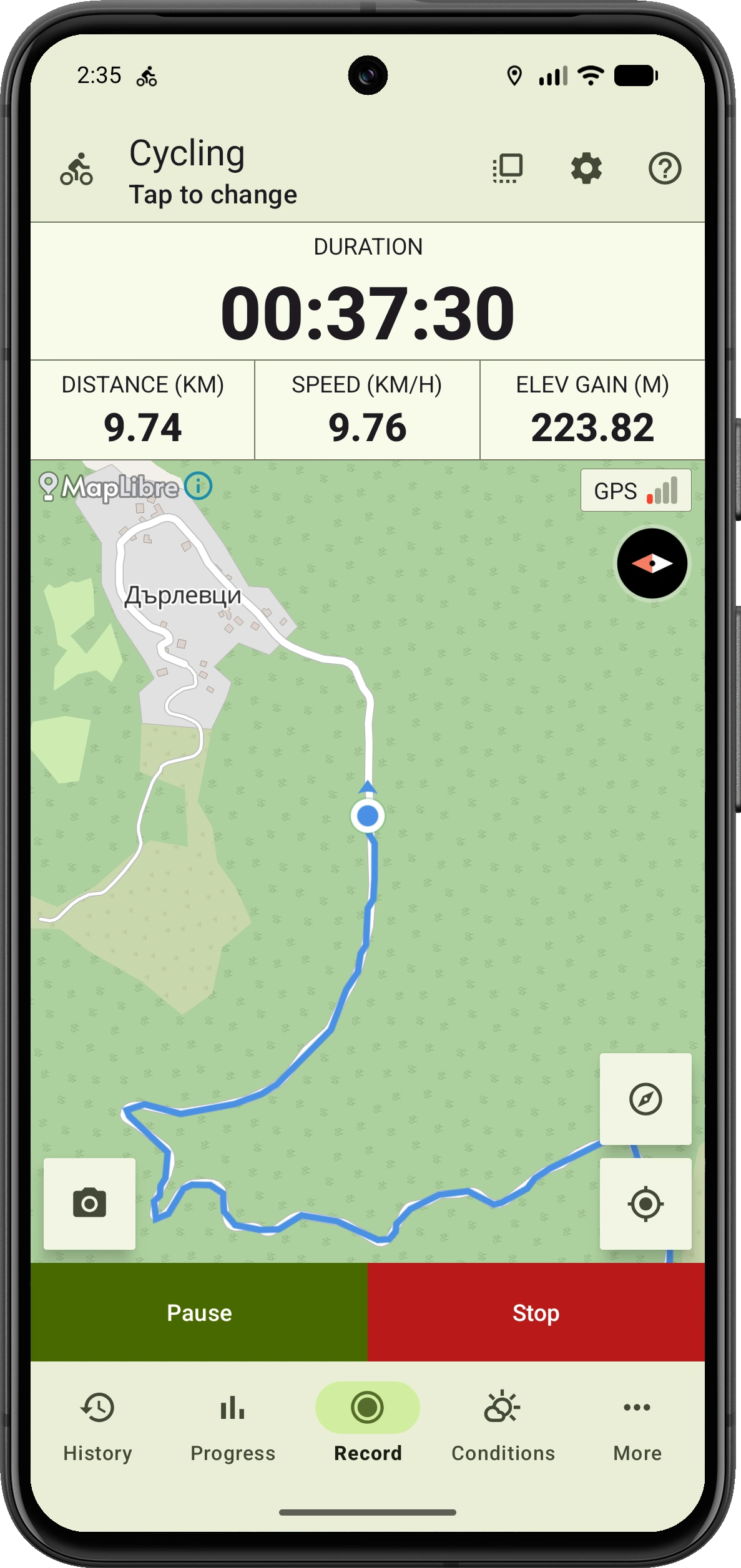
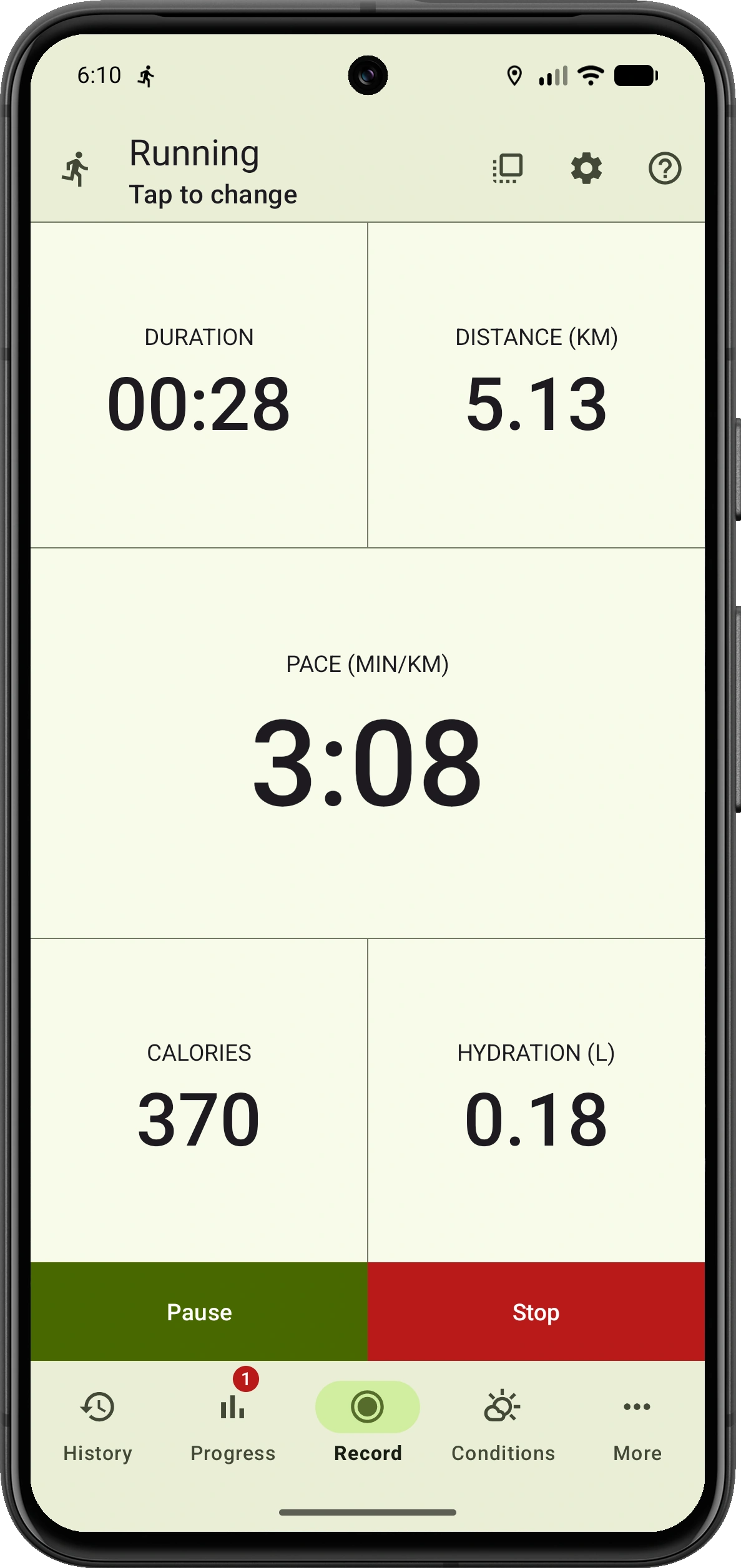
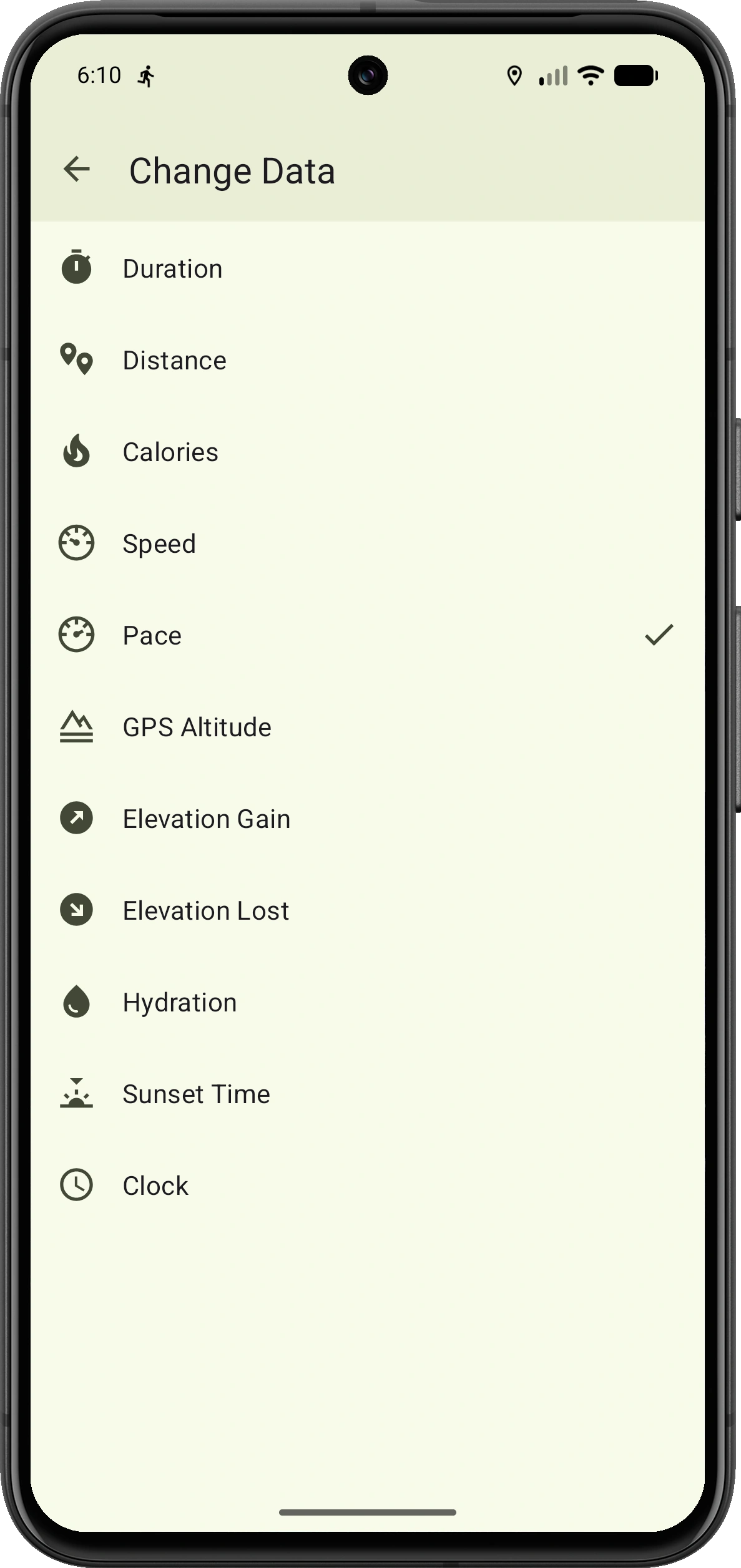
Switch from the map to a clear data-only view while recording. Customize every field so the metrics that matter for your activity stay large, readable and easy to follow.
- Switch between the route map and data-only view during GPS activities
- Press and hold any field to choose a different live metric
- Promote a secondary map metric to the primary position with a tap
After every activity
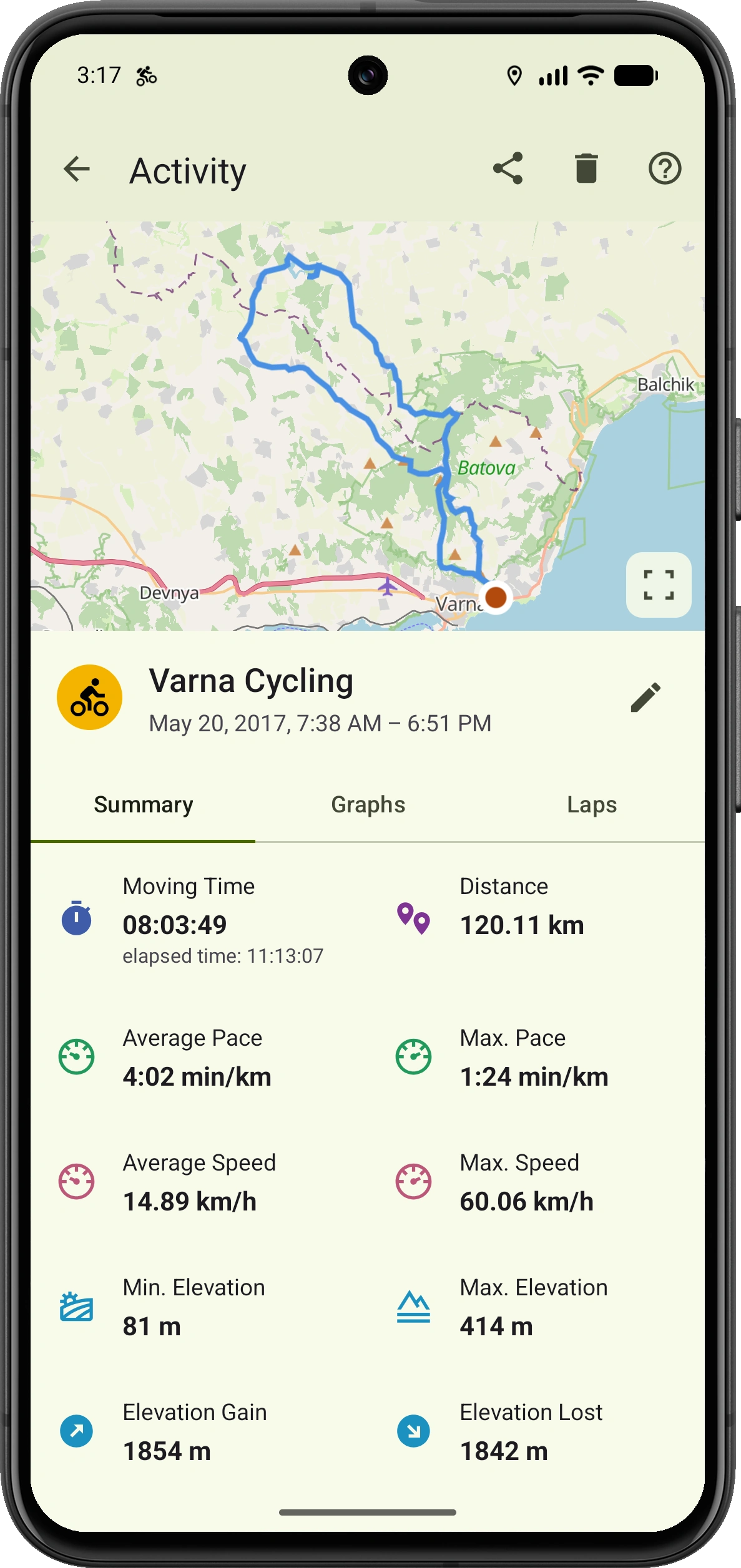
Understand every part of your workout
Go beyond basic time and distance. Review your route, performance, elevation and activity context, then use interactive graphs to see how your workout changed from start to finish.
- Route, duration, distance, pace, speed, calories and elevation
- Weather, hydration estimate and CO₂ savings
- Interactive graphs, laps and distance splits
Performance visualized
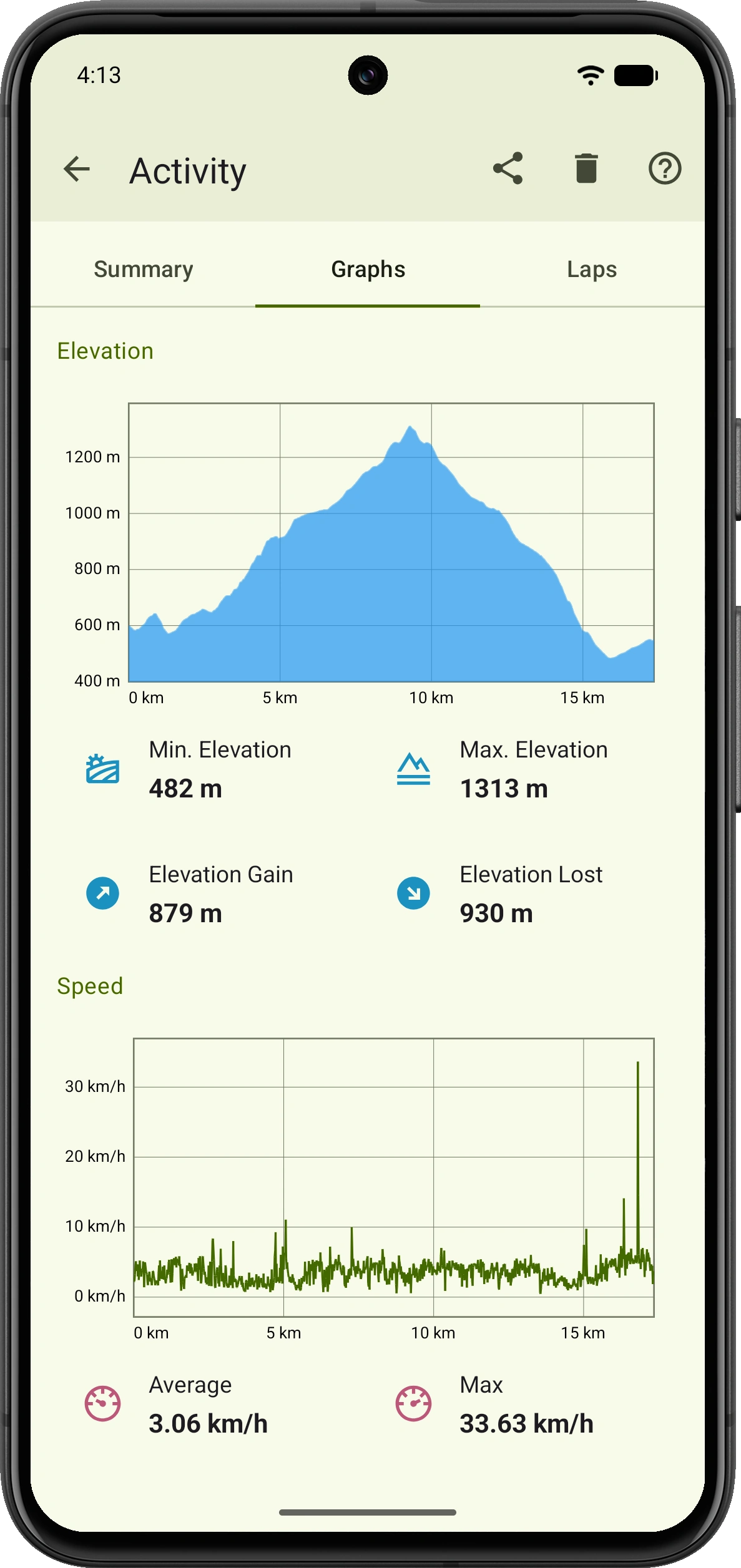
See how your activity unfolded
A final number only tells part of the story. Follow your metrics across the route to see where the terrain changed, where you gained speed and where the activity demanded more.
- View the complete elevation profile with gain and loss
- Track speed changes across the distance traveled
- Review key summary values alongside the charts
Compare every segment
Laps and distance splits
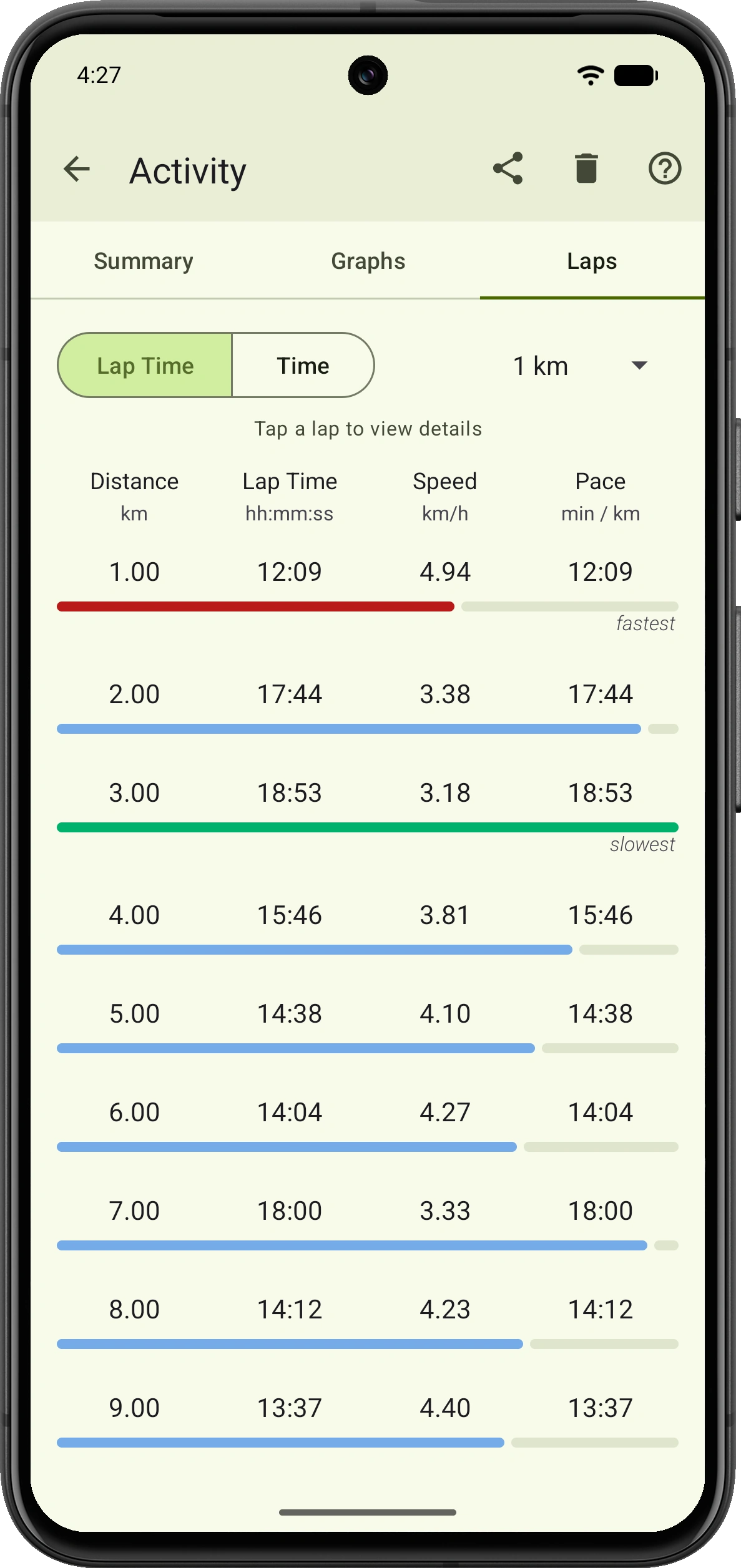
Turn a long activity into clear, comparable segments. Spot where you were fastest, where you slowed down and how consistently you maintained your pace.
- Choose a split distance that fits your activity
- Compare lap time, speed and pace at a glance
- Open any lap to inspect its details and highlighted route segment
Per-activity controls
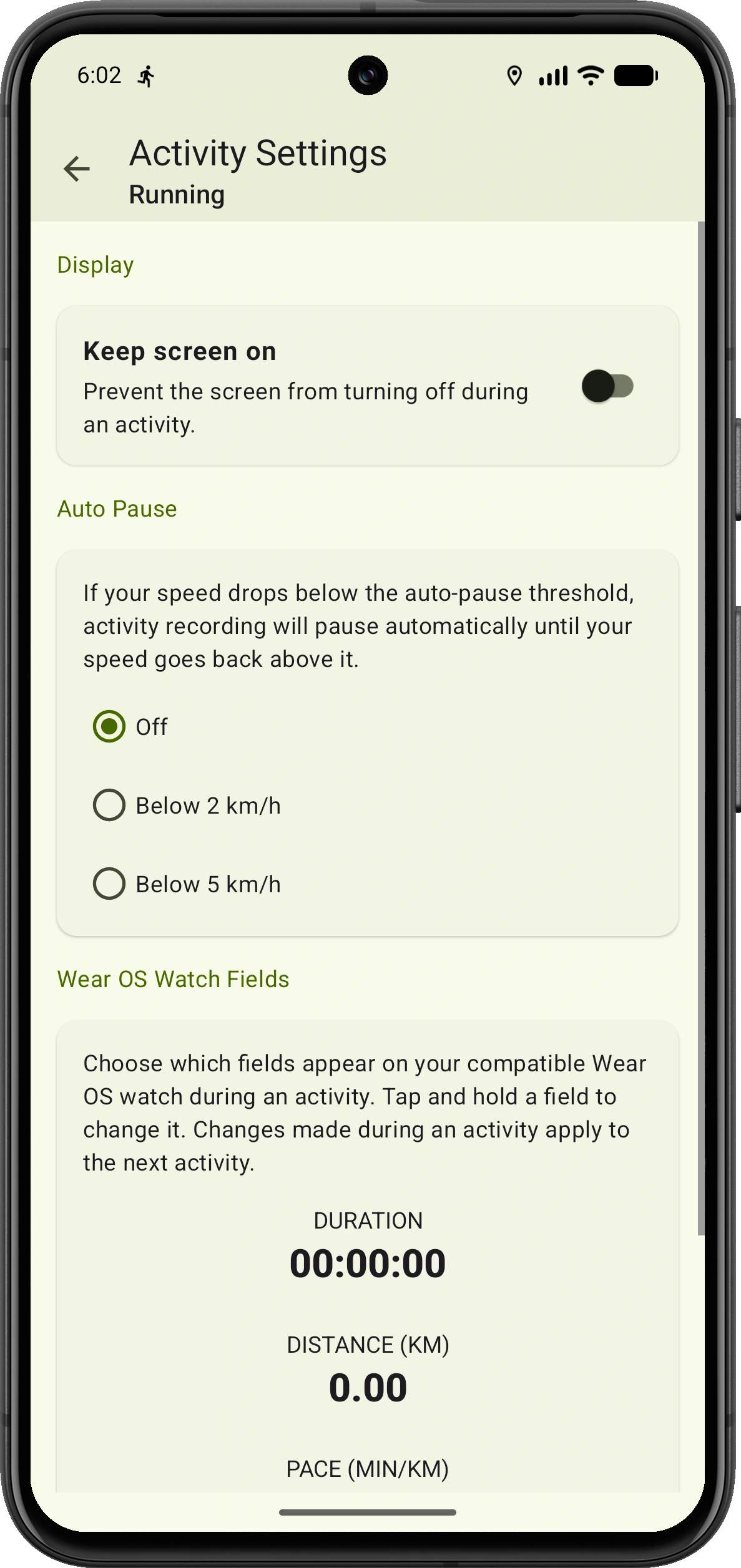
Set up each activity your way
Running, cycling and indoor sessions do not need the same setup. VMFit keeps settings for each activity type, so the right behavior and live fields are ready whenever you start.
- Keep the screen on while an activity is in progress
- Set auto-pause thresholds for GPS activities, with optional pause and resume voice notifications
- Choose the live fields shown on your Wear OS watch for each activity type
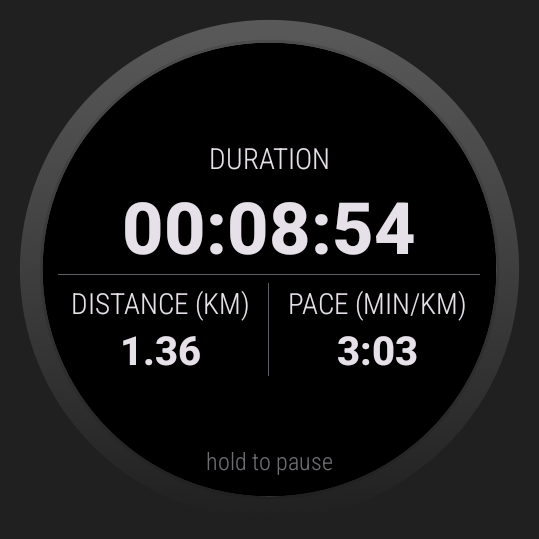
Control it from your wrist
Keep your phone in your pocket
The VMFit Wear OS companion turns your watch into a remote while your phone records the activity. Choose an activity, follow live data, and start, pause, resume or stop without reaching for your phone.
- Configure live fields separately for each activity type
- Review a workout summary on your watch when you finish
- Keep recording safely on your phone if the watch disconnects
Compatibility: Wear OS 2 or newer.
Read the Wear OS guide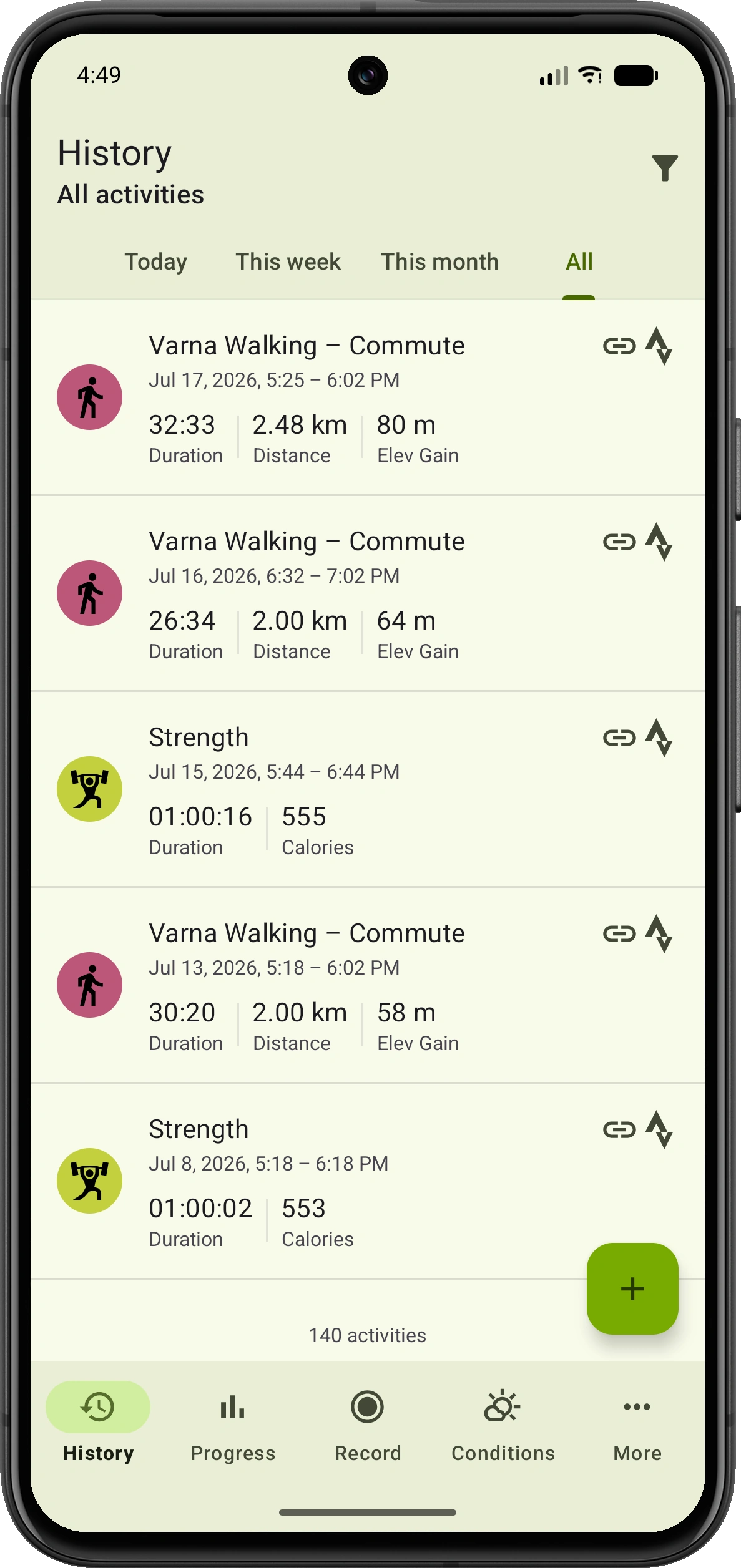
Every activity, easy to find
Your activity history, organized
Keep every recorded activity in one clear timeline. Jump to recent periods or browse your complete history, then filter by activity type to find exactly what you need.
- Browse today, this week, this month or your complete history
- Filter activities by type
- Scan duration and relevant distance, elevation or calorie totals
Import or add manually
Bring your history with you
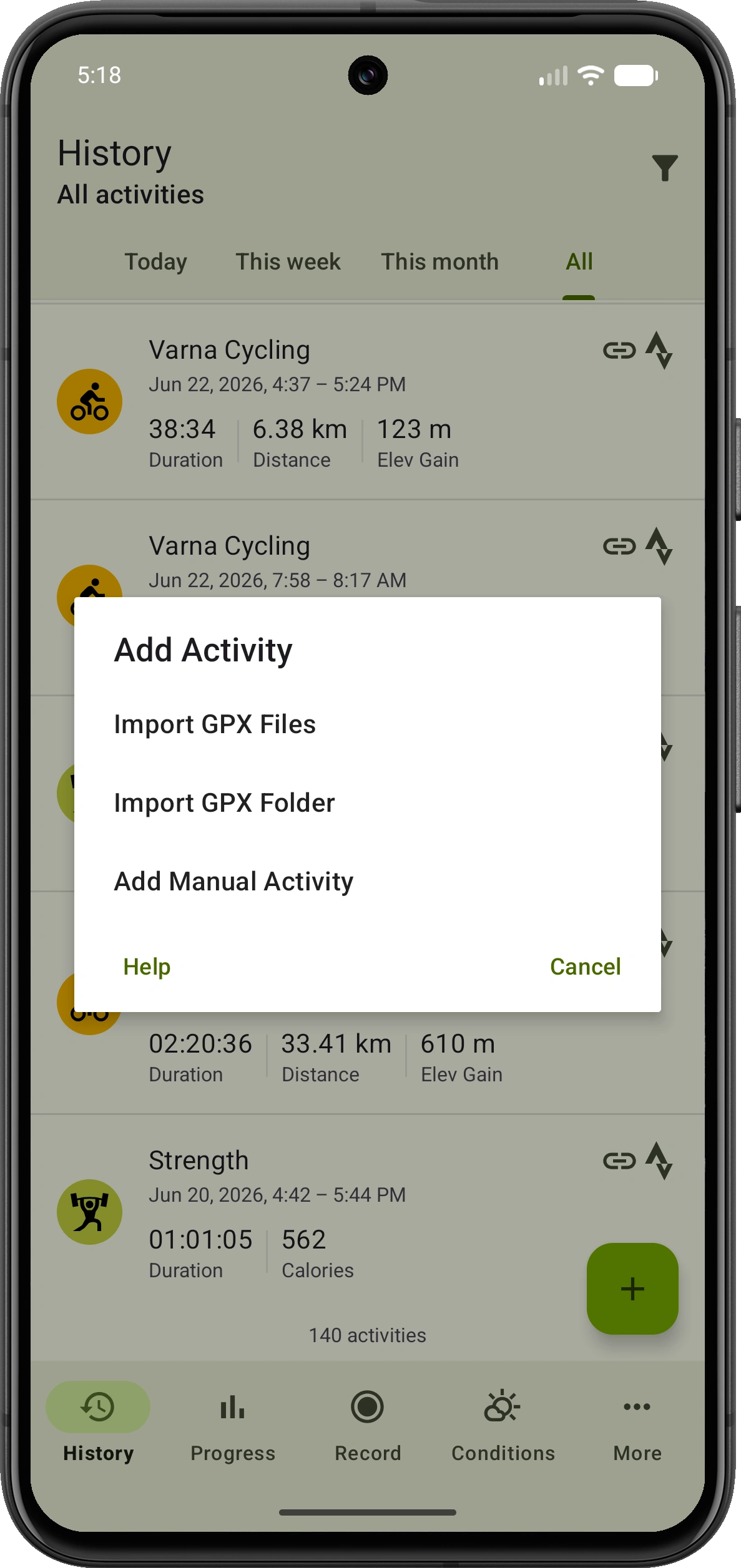
Already have activities elsewhere, or forgot to record one? Import existing GPX data or add an activity manually so your VMFit history and progress stay complete.
- Import one or multiple GPX files
- Import an entire GPX folder for an easier migration
- Add activity type, date, duration, distance, calories and notes manually
Progress over time
Watch your progress add up
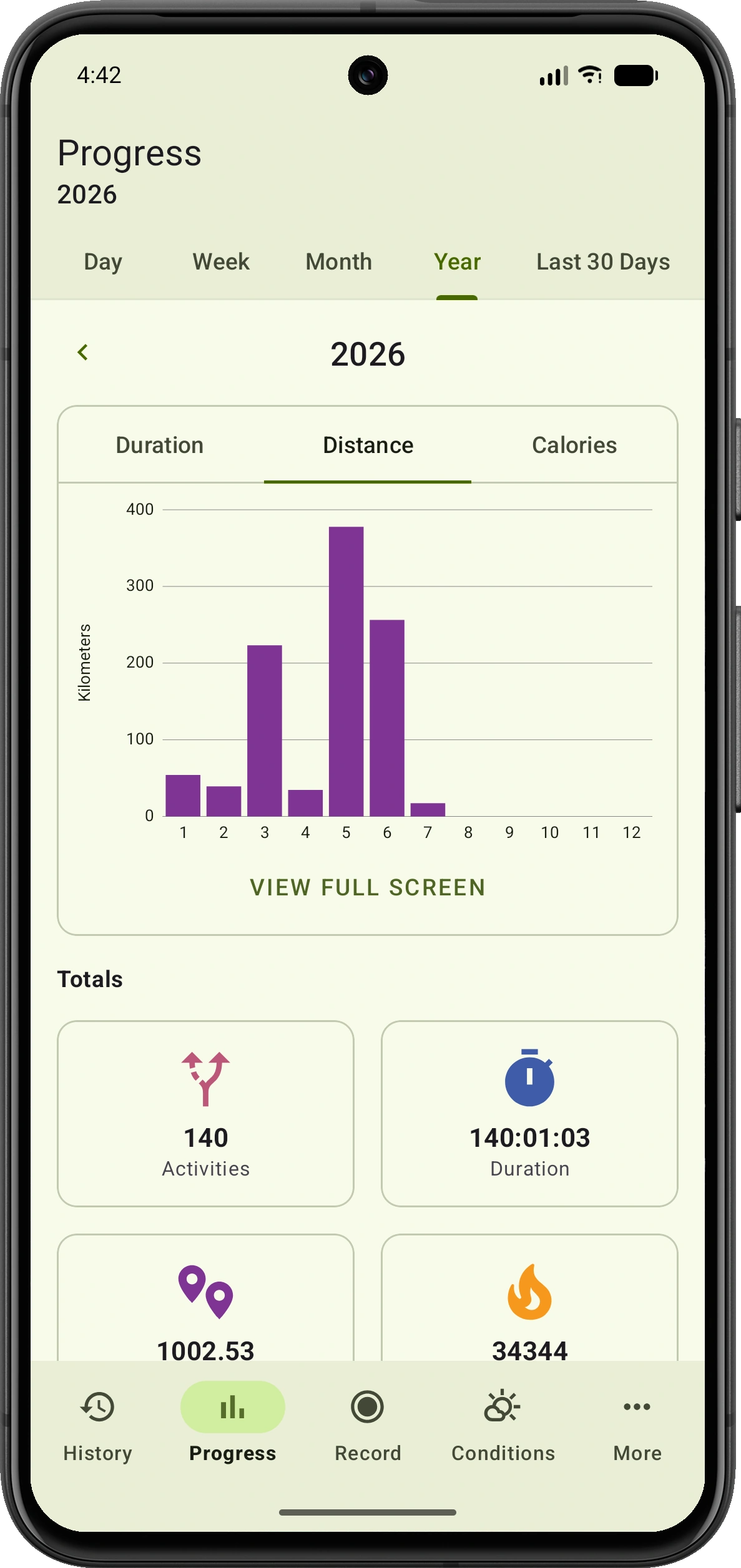
Turn individual activities into a clear view of your consistency. Explore trends by day, week, month, year or the last 30 days, and see the totals behind every period.
- Chart duration, distance or calories
- Review your activities, time, distance, calories and elevation totals
- Open charts full screen for a closer look
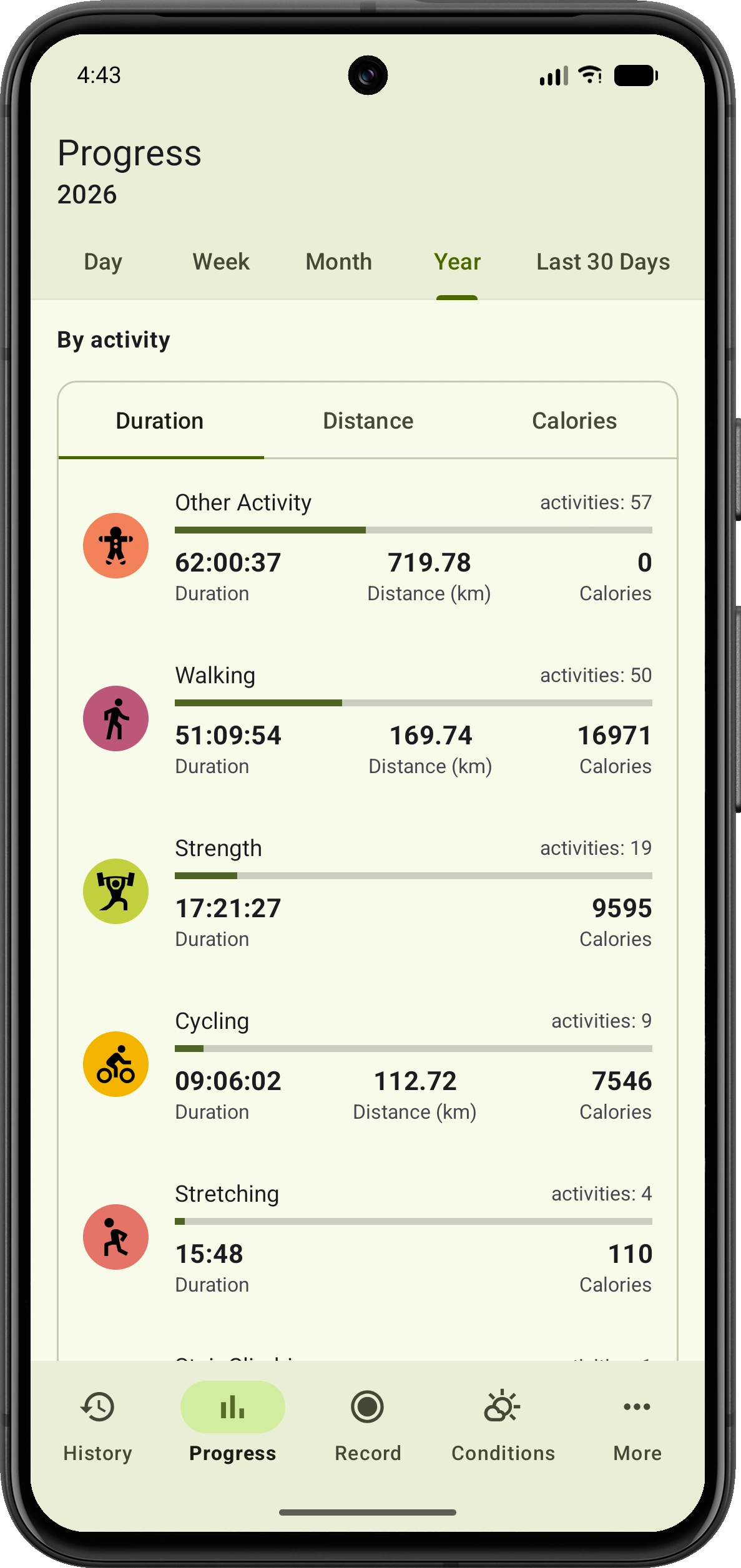
Progress by activity
See what keeps you moving
Understand how each activity contributes to your overall progress. Compare the activities you do most and see where your time, distance and energy went.
- Switch between duration, distance and calories
- See activity counts and totals together
- Compare outdoor, indoor and gym activities
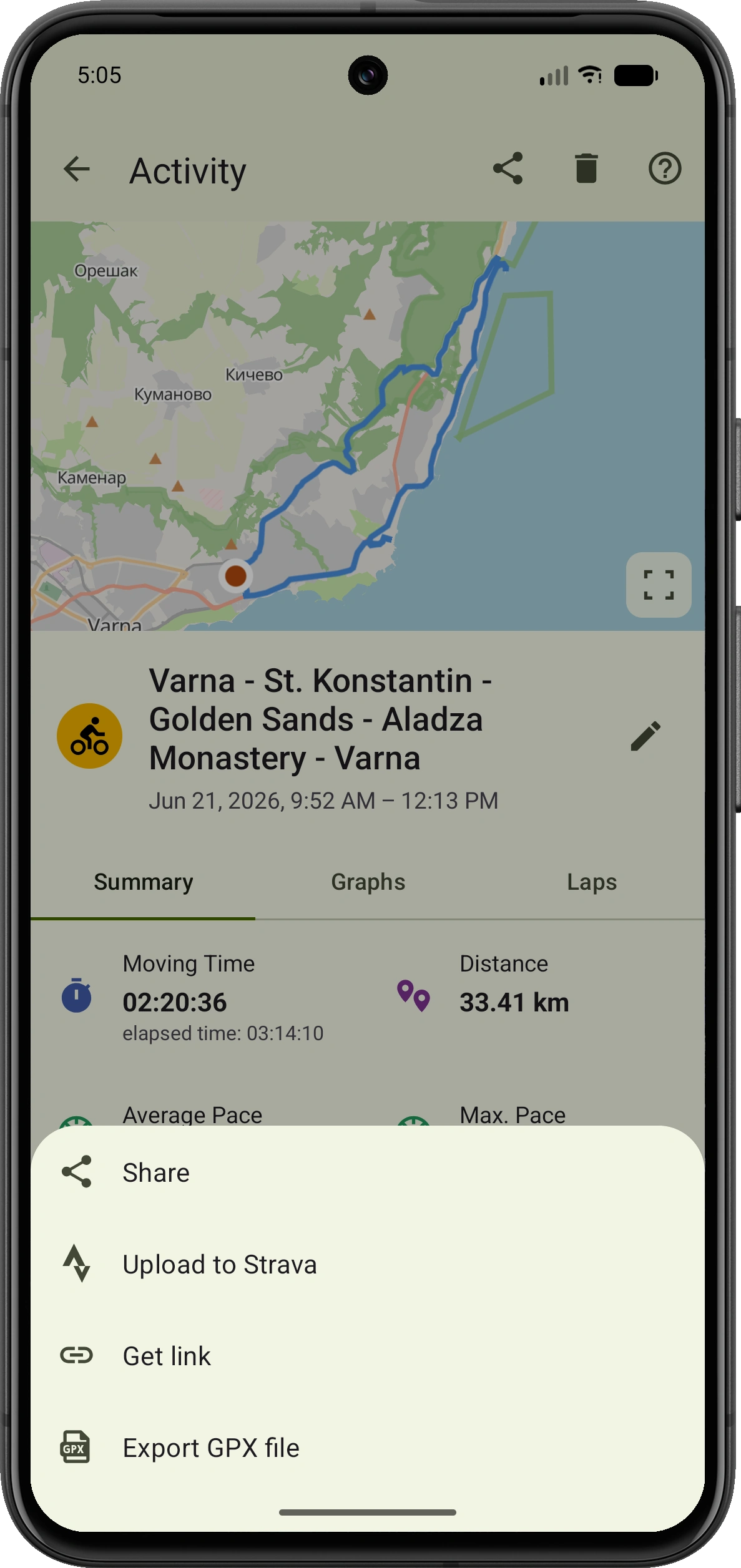
Your activity, your choice
Share it your way
Your activity is never locked in. Export it as a GPX file, send it to Strava, create a public activity link without personal identifiers, or turn it into a shareable visual using a photo or map.
- Export any individual activity as a GPX file
- Upload activities directly to Strava
- Create a public link with an optional route map and delete it whenever you choose
- Build a shareable activity image using a photo or map
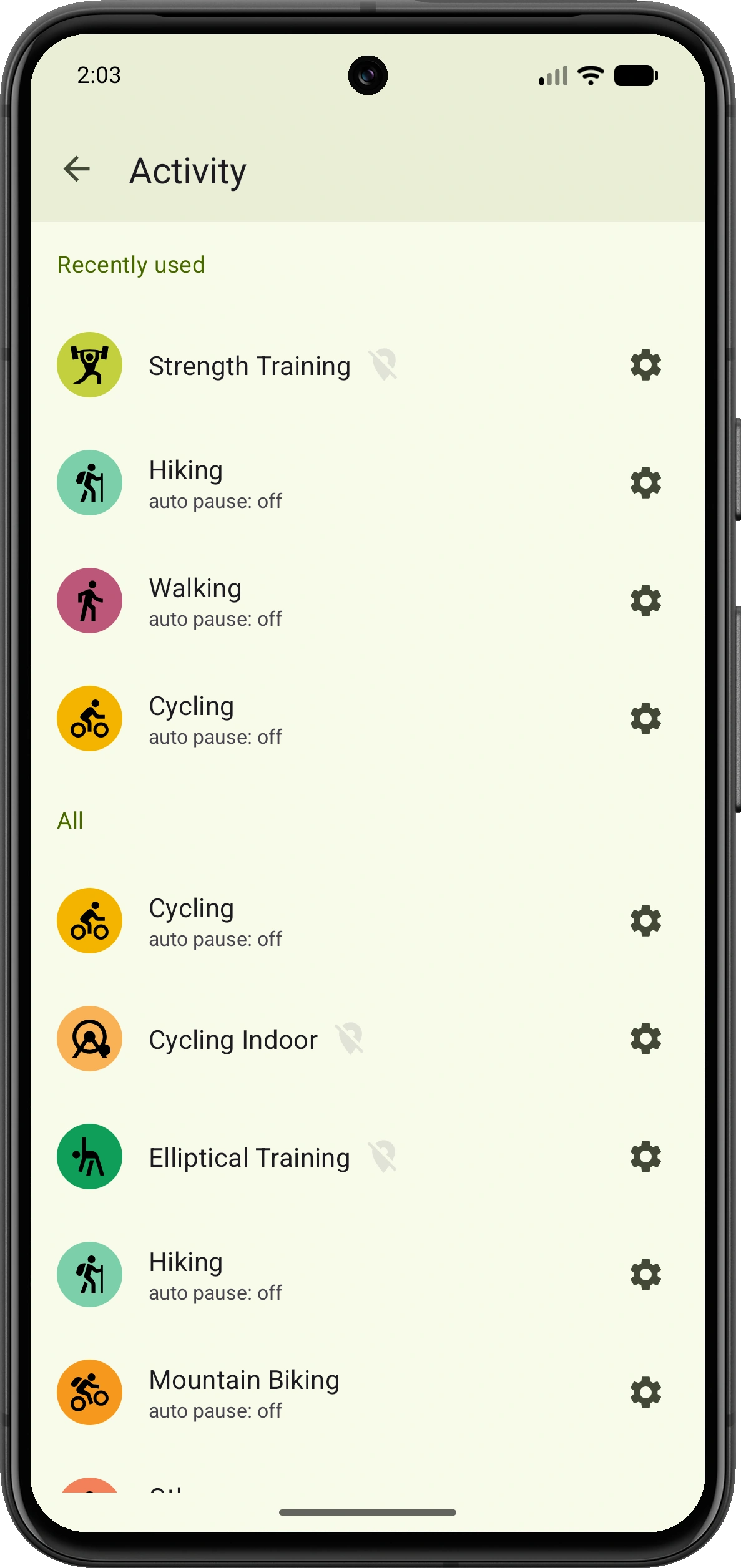
Outdoor and indoor tracking
One tracker, many ways to move
From mountain trails and daily walks to strength sessions and indoor cardio, VMFit keeps all your activities together.
Outdoor
- Running
- Walking
- Cycling
- Mountain biking
- Hiking
- Skateboarding
Indoor & gym
- Strength training
- Stretching
- Stair climbing
- Indoor cycling
- Elliptical
- Treadmill running
- Table tennis
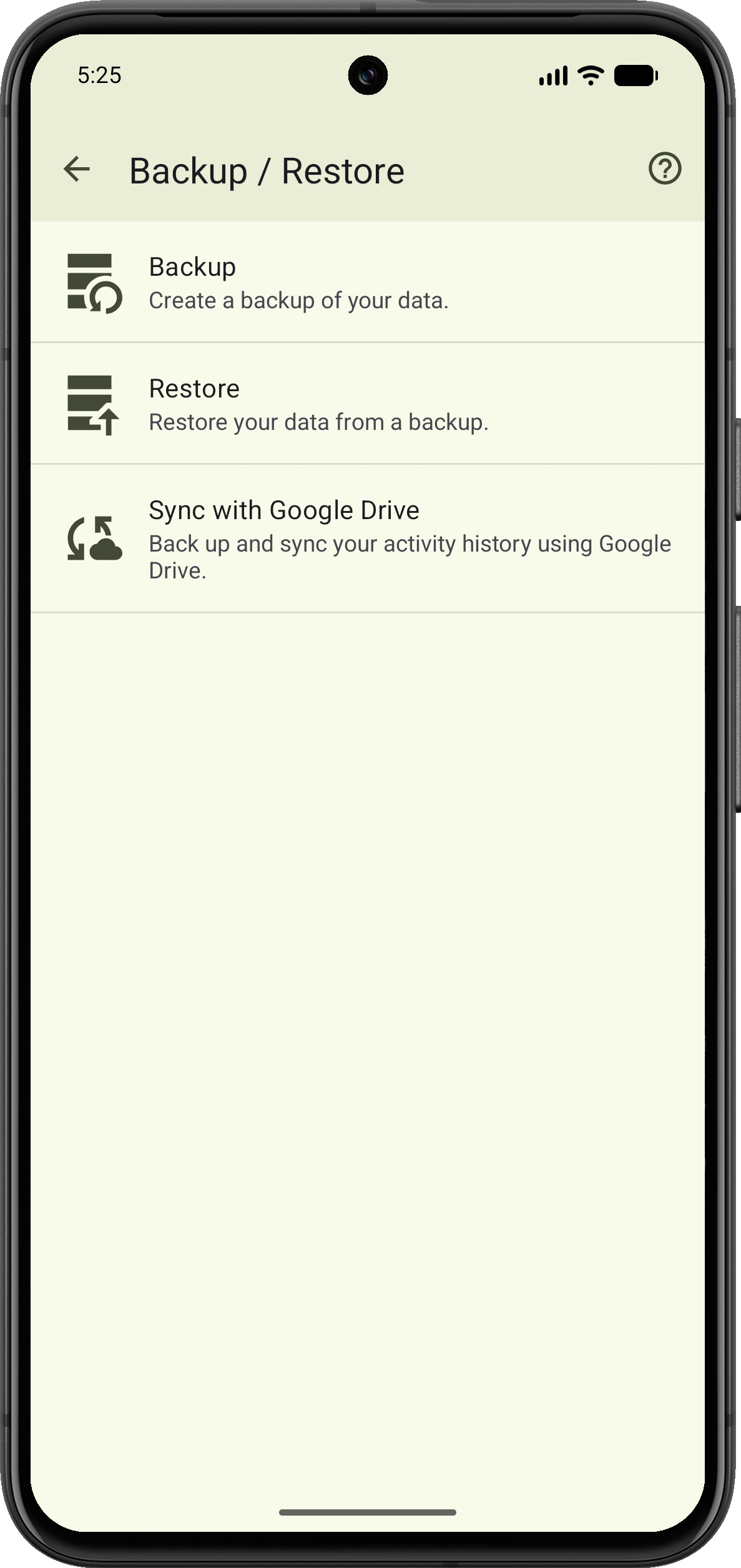
Backup and restore
Protect the history you've built
VMFit works without an account while still giving you ways to safeguard your data. Create a backup, restore it when needed, or optionally keep your activity history synced through Google Drive.
- Create a backup of your VMFit data
- Restore your history from an existing backup
- Choose optional Google Drive backup and sync
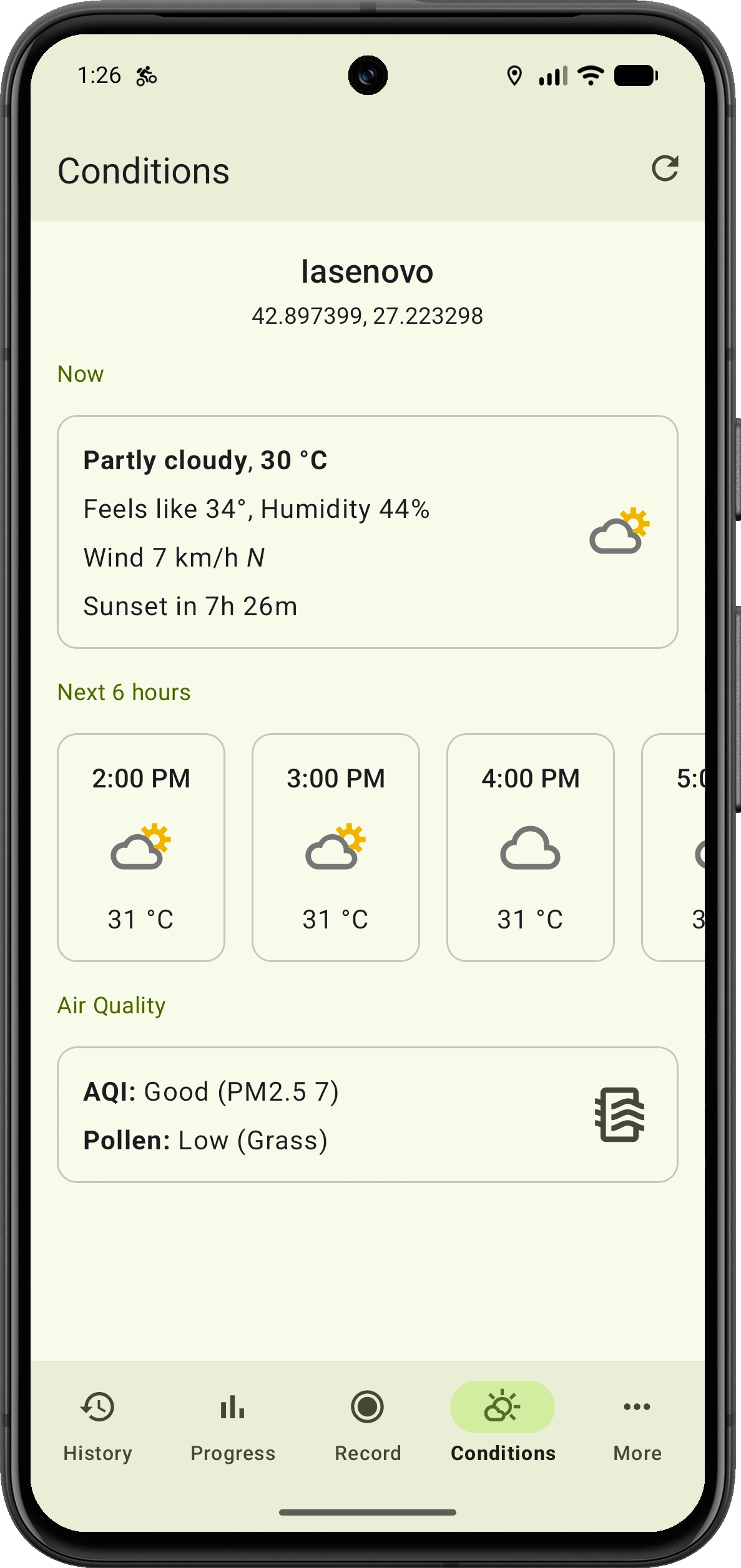
Be ready for what's outside
Know the conditions around you
Check current weather and the next six hours, including temperature, feels-like conditions, humidity and wind. See air quality, pollen, and sunrise and sunset times at a glance.
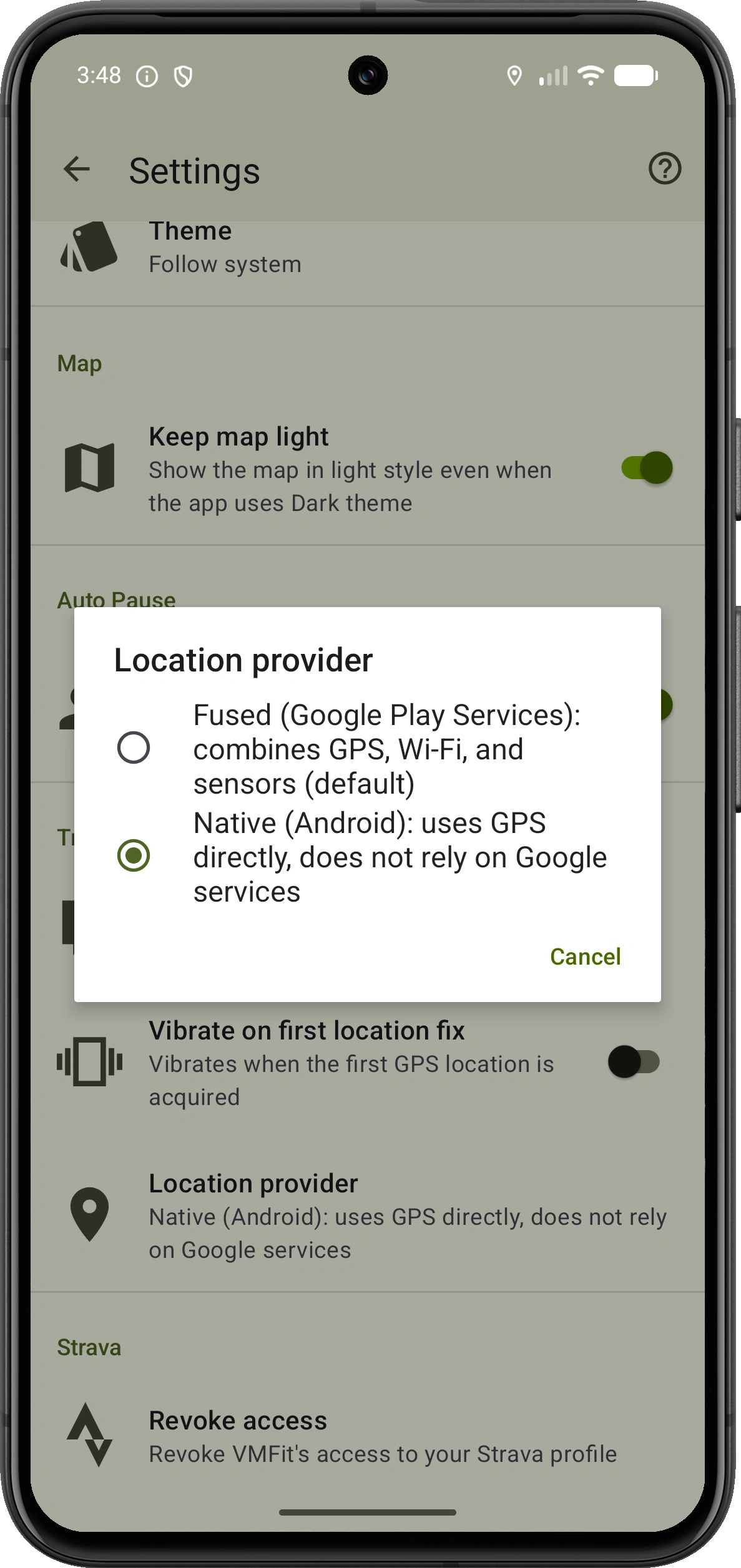
No mandatory Google dependencies
Track without Google Play Services
VMFit's core tracking experience works without Google Play Services. Select Android's native location provider to record directly with GPS, while MapLibre-powered maps avoid any dependency on Google Maps.
- Record activities using Android’s native GPS provider
- View routes with MapLibre instead of Google Maps
- Use history, metrics, progress, GPX tools and sharing normally
- Install VMFit directly using the downloadable APK
Wear OS controls require Google Play Services. Google Drive remains an optional backup integration and is not required to use VMFit.
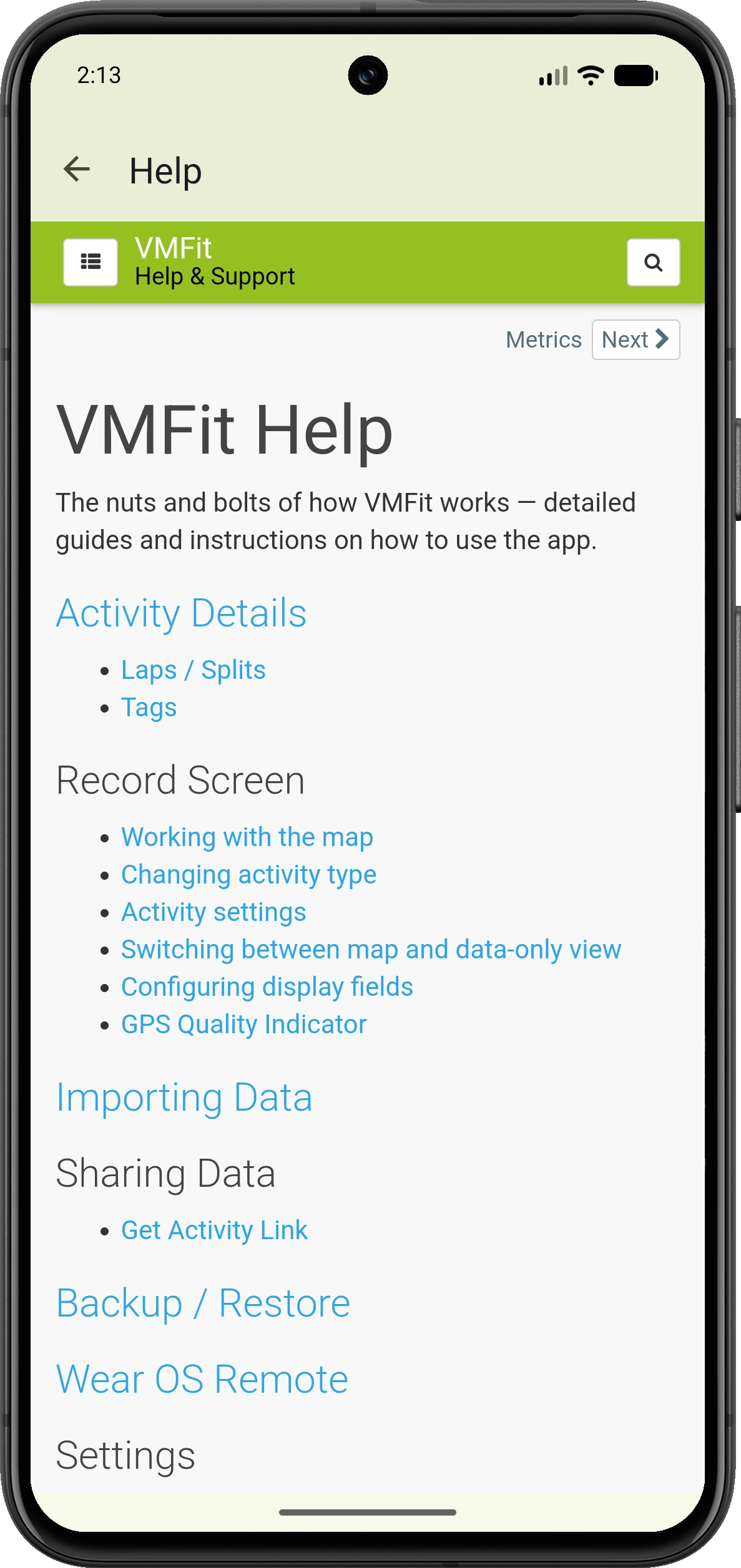
Help & support
Answers when you need them
Explore step-by-step guides for recording activities, working with maps, understanding metrics and laps, using Wear OS, importing data, sharing workouts, managing backups and customizing VMFit.
Device-specific battery guidance helps keep longer activities recording reliably.
Good to know
Frequently asked questions
Quick answers about tracking, privacy, compatibility and your activity data.
What activities can I track with VMFit?
VMFit supports running, walking, cycling, mountain biking, hiking, skateboarding, strength training, stretching, stair climbing, indoor cycling, elliptical training, treadmill running and table tennis.
Do I need to create an account?
No. VMFit does not require an account, and your activity history is stored locally on your device by default.
Does VMFit contain ads?
No. VMFit is ad-free, so your activity screens and workout history are not interrupted by advertising.
Can VMFit work without Google Play Services?
Yes. VMFit can record activities through Android's native GPS provider and uses MapLibre-powered maps instead of Google Maps. Wear OS controls require Google Play Services, while Google Drive backup is optional.
Does VMFit support Wear OS watches?
Yes. A compatible watch running Wear OS 2.0 or newer can show live activity statistics and control recording from your wrist.
Can I import and export GPX files?
Yes. You can import GPX files or a folder of GPX files into your history and export an individual recorded activity as a GPX file.
Can I share activities or upload them to Strava?
Yes. You can create a shareable activity image using a photo or map, generate an anonymous public activity link, or upload an activity to Strava. Sharing is always initiated by you.
How can I back up my activity history?
VMFit can create and restore local backups. You can also choose optional Google Drive backup and synchronization for your activity history.
Still have a question?
Browse the VMFit Help Center or contact us directly and we’ll be happy to help.
Ready to explore?
Download VMFit and start tracking your adventures.