

Follow your route and live metrics
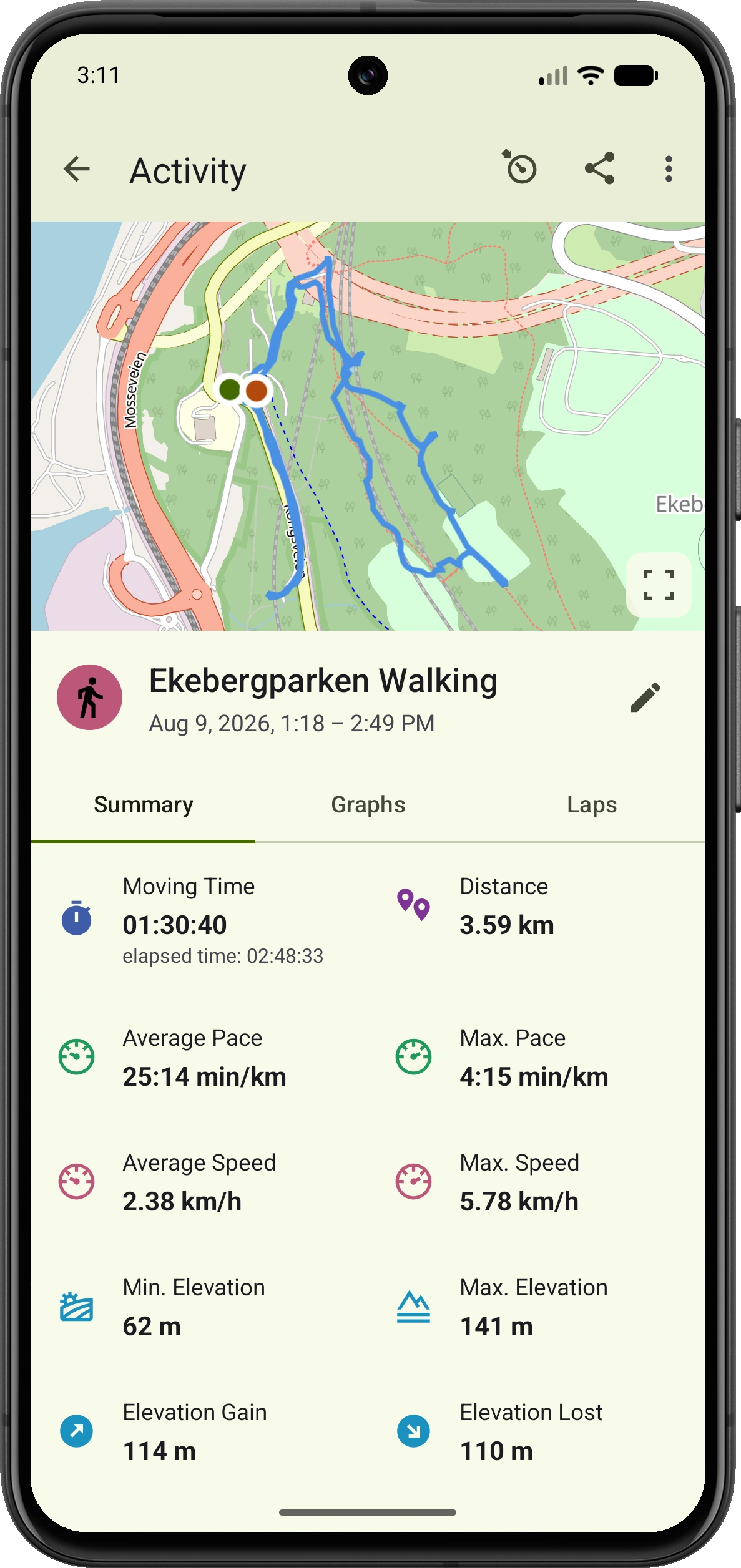
Record your walking route, distance, duration and pace. Switch between the map and a data-only view, then press and hold a field to choose which live metric it shows. Review your completed walk on a map.
Free GPS walking tracker for Android
From neighbourhood strolls to weekend walks, VMFit records your route, distance, time and pace. Review each walk on a map and follow your progress over time, with no ads or account required.
Free · No ads · Private by default · Android 8.0+

What VMFit helps you do
Record your walking route, distance, duration and pace. Switch between the map and a data-only view, then press and hold a field to choose which live metric it shows. Review your completed walk on a map.
Choose a split distance for your walk and compare each segment’s time, speed and pace. Open a lap to see its highlighted route segment and find where you sped up or slowed down.
Browse activity history by date and filter by walking to revisit familiar routes and see how often you go out.
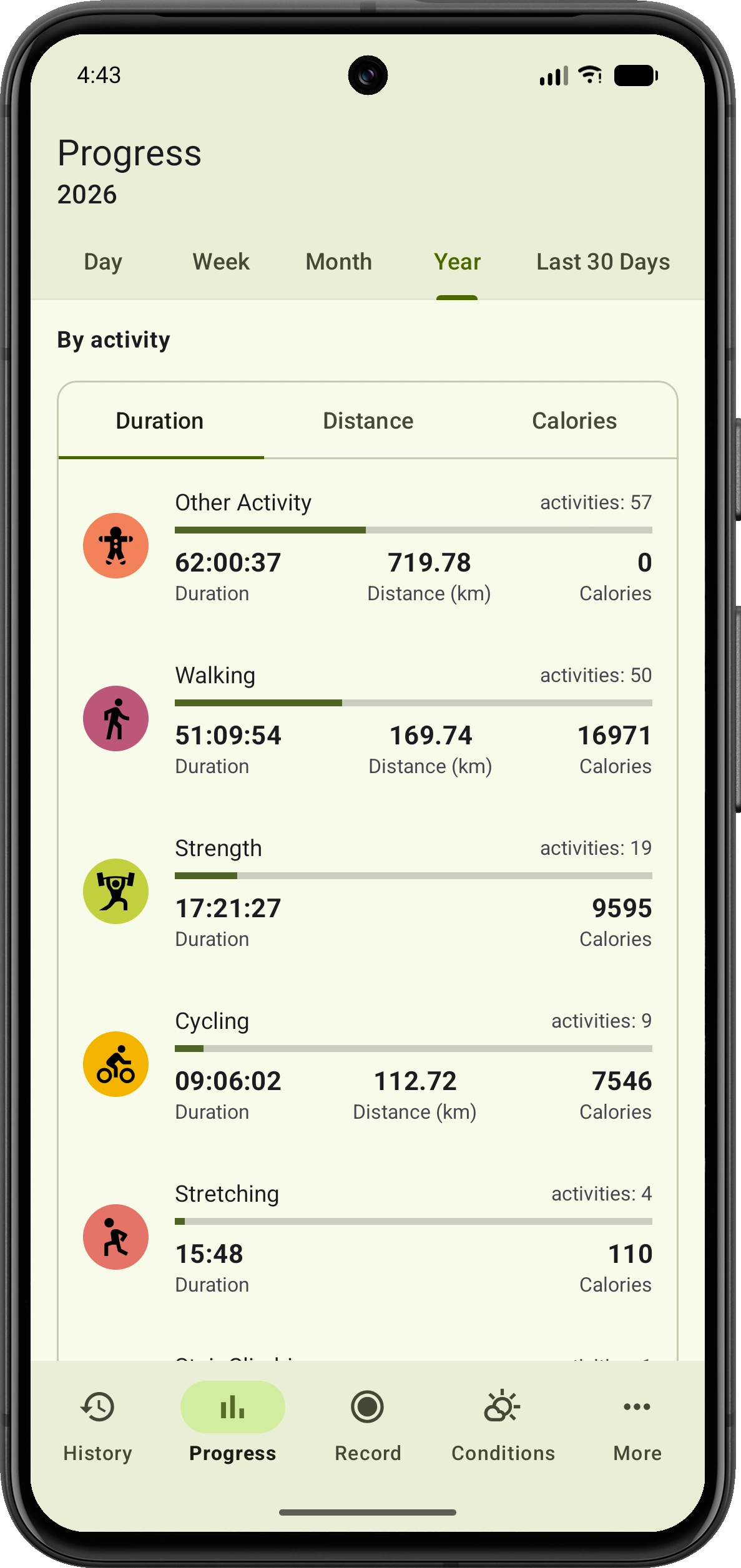
Use progress views to compare distance, duration and activity counts over days, weeks and months.
Start, pause, resume or stop your walk from your wrist and follow live stats while your phone records the activity. Choose the live fields shown on your watch for Walking so the metrics you care about stay in view. Requires a compatible watch with Wear OS 2 or newer and Google Play Services.
There is no mandatory VMFit account or advertising. You decide if and when a recorded walk is exported or shared.
Beyond the summary
Review your walking distance, time and activity counts by day, week, month or year. See how walking contributes to your overall activity totals and follow your consistency over time.
Simple to start
Open VMFit, choose Walking and wait for GPS signal before starting.
Walk normally while VMFit records route and timing information.
Stop recording when you finish, then review your route, distance, duration and pace.
Common questions
No. VMFit does not require an account, and your activity history is stored locally on your device by default.
VMFit records your GPS route, distance, duration and pace. You can review your completed walk on a map and find it again in your activity history.
Yes. VMFit supports progress views by day, week, month, year and activity type.
Yes. Export a recorded walk as a GPX file, upload it to Strava, create a public activity link, or share an image using a photo or map. Sharing is always initiated by you.
Track every move
Track walking routes and progress on your Android phone, without registration or ads.